
Discover 9 essential customer onboarding best practices to reduce churn. Learn how to use interactive video and personalization to create amazing experiences.
The first few minutes a customer spends with your product are the most critical. A confusing start leads to frustration, low adoption, and churn. A streamlined, engaging welcome experience sets the stage for long-term loyalty. But static product tours and dense documentation no longer cut it-customers expect personalized, interactive guidance that proves value immediately.
This guide covers nine customer onboarding practices that actually work in 2025, with actionable steps and real examples. For foundational principles, these e-commerce user experience best practices provide a solid starting point. Master these strategies and you’ll reduce early-stage churn, boost product adoption, and turn new users into power users faster.
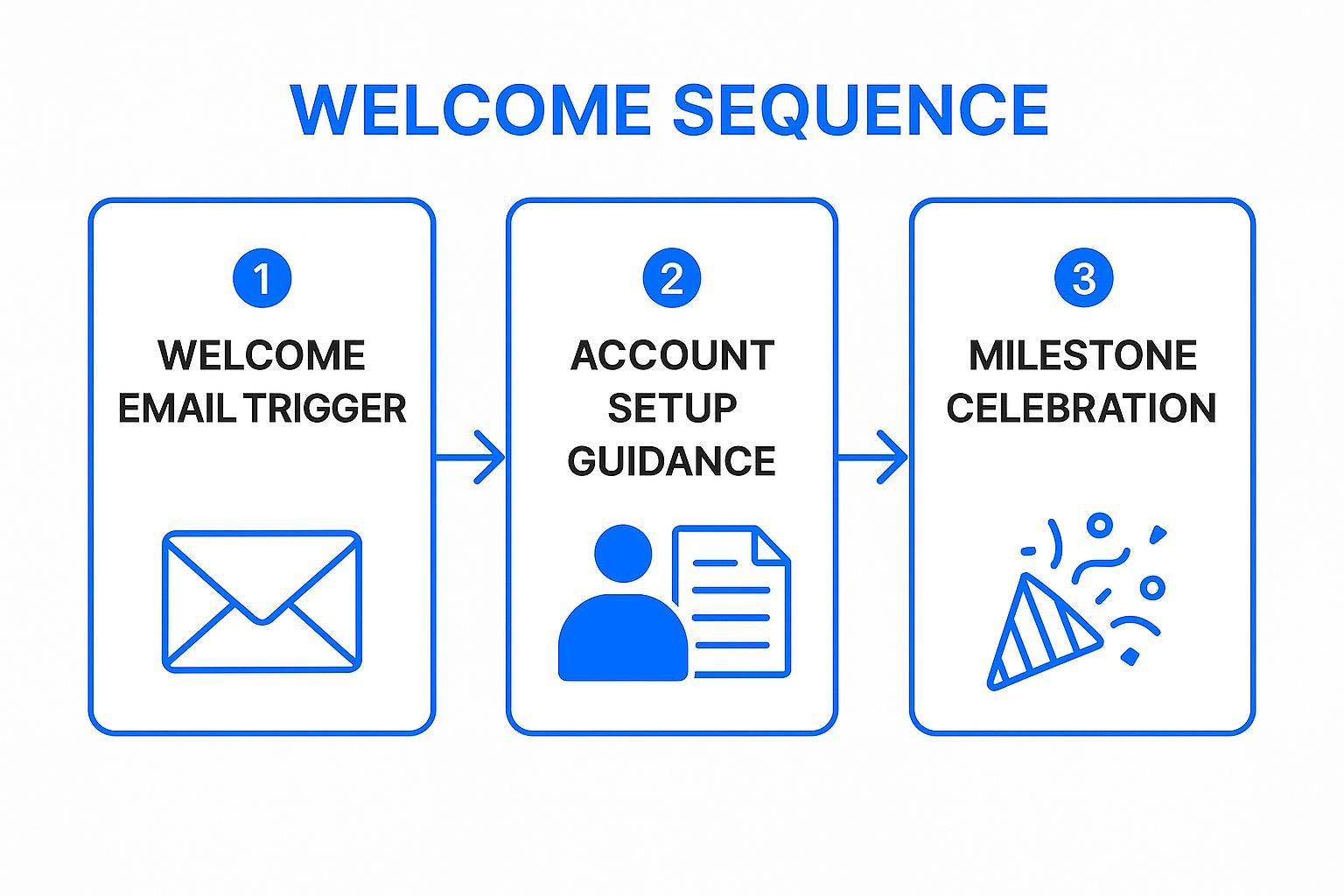
1. Create a structured welcome sequence
A structured welcome sequence is the first impression a new user has with your brand post-conversion. This isn’t just a single “thank you” email-it’s a strategically planned series of communications designed to guide users from signup to their first “aha!” moment.
Instead of leaving users to figure things out alone, you orchestrate their journey. Slack’s onboarding guides users to create a team, invite colleagues, and send their first message, ensuring they experience core collaborative value right away. Stripe provides developers with API keys, clear documentation, and a test environment to facilitate smooth integration.
At VideoQi, we’ve found the most effective sequences are trigger-based, not just time-based. Don’t send emails on Day 1, 3, and 5-trigger communications based on user actions. If a user hasn’t activated a key feature after 48 hours, send a tutorial video. A/B test your subject lines, CTAs, and video content. And focus each communication on a single next step-overwhelming users with multiple options leads to decision paralysis.
2. Implement progressive disclosure
Progressive disclosure is an interaction design technique that defers advanced features until users become more proficient. Instead of overwhelming newcomers with every option, you present a simplified interface focused on core functionality. This reduces cognitive load and guides users through a logical learning path.

Duolingo only unlocks new lessons and features after users master foundational concepts. Notion introduces basic note-taking first, then reveals databases and formulas through contextual prompts as users explore.
The key is identifying the minimum viable action-the single most important thing a user must do to see value. Focus the initial experience entirely on that one win. Introduce features with non-intrusive tooltips when users first encounter that part of the interface. Offer an “advanced mode” for power users who want to bypass the guided experience. Track behavior to understand when users are ready for the next level of complexity.
3. Personalize based on customer segments
Personalized onboarding tailors the new customer experience to specific user characteristics, goals, and behaviors. A marketer using your software has different needs than a sales professional, and a small business has different priorities than an enterprise client.
HubSpot asks users to self-identify as a marketer, salesperson, or service professional during setup. Each choice triggers a unique onboarding flow with tailored tutorials. Salesforce provides industry-specific templates for healthcare, finance, and other sectors.
Start simple-begin with broad segments based on role, company size, or industry. Even two or three distinct paths are a significant improvement over one-size-fits-all. Use progressive profiling: ask one key segmentation question initially and gather more data over time. Create segment-specific welcome videos and guides. And always implement a default fallback for users who don’t fit a defined segment.
4. Provide interactive product tours
Interactive product tours are guided, hands-on experiences that walk users through key features in real time. Unlike passive video tutorials or documentation, these tours prompt users to click, type, and navigate within the actual product interface.

Asana’s tour guides new users to create their first project and assign a task. Figma’s onboarding teaches basic design operations by having users manipulate shapes and text. These tours, often built with platforms like Appcues or WalkMe, use tooltips and highlighted elements to direct user actions.
Design tours around essential actions that lead to the “aha!” moment-don’t try to teach every feature at once. Keep it short (5-10 steps maximum). Always allow users to skip, pause, or exit. And provide an easy way to replay a tour from a help menu.
5. Set clear expectations and milestones
Setting clear expectations transforms a confusing onboarding process into a predictable journey. Communicate what customers can expect, the timeline for key phases, what actions they need to take, and what success looks like.
LinkedIn’s profile strength meter encourages users to complete specific sections by showing how close they are to “All-Star” status. Shopify provides new store owners with a setup checklist and completion percentages, guiding them through tasks like adding a product and setting up payments. For more on this, these strategies for improving customer communication are worth reviewing.
Use visual progress indicators-progress bars, checklists, or percentage-complete meters. Break down large goals into smaller milestones (“Confirm your email,” “Import contacts,” “Create your first project”). Celebrate completions with positive reinforcement. Provide realistic time estimates based on actual user data.
6. Offer multiple support channels
Multiple support channels ensure customers can get help through their preferred method when they hit obstacles. Different users have different comfort levels, from self-service to direct conversation.

Zendesk’s help widget embeds chat, email, and knowledge base access directly within the interface, preventing users from leaving the platform to find answers. Atlassian leverages extensive documentation and community forums for peer-to-peer solutions.
Integrate help directly-embed options like chat widgets or knowledge base links into your onboarding tours. Use chatbots for common questions (this provides 24/7 support and frees human agents for complex issues). You can explore how video can enhance customer support by integrating it into chat and knowledge base responses. Create clear escalation paths so users can move from self-service to a human agent without repeating themselves.
7. Implement quick wins and early value delivery
Quick wins guide new users to their first meaningful achievement in the shortest time possible. Instead of overwhelming them with a comprehensive tour, prioritize actions that deliver immediate, tangible benefit.
Canva allows users to create a stunning design in minutes using pre-made templates. Buffer enables users to connect a social account and schedule their first post within their first session. The goal is an “aha!” moment that hooks users from the start.
Identify the core “job to be done”-the primary outcome customers want to achieve-and design the initial flow around that single goal. Use templates and presets to accelerate setup. Celebrate the first achievement with modals, animations, or congratulatory emails.
8. Establish feedback loops and continuous improvement
Effective onboarding isn’t “set it and forget it”-it must evolve with your product and users. Create systematic mechanisms to collect, analyze, and act on customer input throughout their initial journey.
Typeform embeds NPS surveys in onboarding completion emails. Hotjar uses session recordings and on-page polls to see where users get stuck, providing qualitative insights to complement quantitative data from Mixpanel.
Combine quantitative and qualitative data: use funnel analysis to see where users drop off, and surveys or recordings to understand why. Deploy feedback at key milestones, not just at the end. When you implement changes based on feedback, let users know-this demonstrates you’re listening and builds loyalty.
9. Assign dedicated success managers
A dedicated success manager provides new customers with a named, human point of contact. This high-touch strategy is invaluable for complex products or high-value accounts, transforming the experience from a self-service checklist into a collaborative partnership.
Salesforce assigns CSMs to enterprise clients to help navigate its ecosystem and drive user adoption. HubSpot offers dedicated onboarding specialists to premium customers for hands-on assistance with portal setup and campaign strategy.
Match CSMs with customers based on industry, company size, or use case. Establish clear communication protocols-define availability, response times, and contact channels. Create a seamless handoff process when transitioning customers from onboarding to long-term account management.
Comparing implementation approaches
Each practice requires different levels of investment and delivers different outcomes. Here’s how they compare:
| Strategy | Complexity | Resources needed | Best for |
|---|---|---|---|
| Structured welcome sequence | High | Moderate to high | Products needing guided onboarding flows |
| Progressive disclosure | Moderate to high | Moderate | Complex products with gradual learning curves |
| Segment personalization | High | High | Diverse user base with distinct needs |
| Interactive product tours | High | High | Feature-rich products needing hands-on guidance |
| Clear milestones | Moderate | Low to moderate | Onboarding needing transparency and motivation |
| Multiple support channels | High | High | Products with varied support preferences |
| Quick wins | Moderate | Moderate | Products benefiting from fast value realization |
| Feedback loops | Moderate to high | Moderate | Mature products optimizing onboarding |
| Dedicated success managers | Very high | Very high | High-value or complex B2B products |
Moving forward
Implementing effective customer onboarding isn’t about checking boxes-it’s a strategic investment that directly influences retention and lifetime value. The nine practices here form a comprehensive framework designed to work together, building momentum from the first interaction.
You don’t need to overhaul everything overnight. Start by auditing your current flow and identifying the single biggest friction point. Apply one practice to address that specific challenge. Measure results, gather feedback, and move to the next issue.
For context on long-term engagement after onboarding, these retention strategies highlight that initial enrollment is just the first step. A world-class onboarding experience makes customers feel capable and successful. It’s an investment that pays dividends through reduced churn, increased lifetime value, and enthusiastic advocates who become your most powerful marketing channel.
Ready to transform your onboarding into an engaging, interactive experience? VideoQi lets you create dynamic video tours and personalized tutorials that guide users to value faster.


